Welcome back to Casoola Casino. Use this page to sign in quickly, recover access if you’ve forgotten your details, or create a new account and pick your preferred welcome bonus before you start playing.
Log in to Casoola Casino
Casoola keeps the sign-in process simple: you can log in using Username, Email, or Phone (select the tab that matches the details you used during registration).
Login fields you’ll see
- Login method tabs: Username / Email / Phone
- E-mail (or relevant identifier): enter your registered email/username/phone
- Password: enter your password (use the eye icon to show/hide it)
- Forgot your password? link for quick recovery
- LOG IN button to access your account
Quick login checklist
- Double-check there are no spaces at the beginning/end of your email.
- Make sure Caps Lock is off (passwords are case-sensitive).
- If you registered with a phone number, switch to the Phone tab before trying again.
Forgot your password?
If you can’t remember your password, click “Forgot your password?” and follow the reset flow.
Tips to avoid lockouts:
- Try resetting using the same login method you registered with (email vs phone).
- Create a password you don’t reuse elsewhere and store it in a password manager.
New to Casoola? Register in minutes
If you don’t have an account yet, choose REGISTER and complete Casoola’s short two-step sign-up.
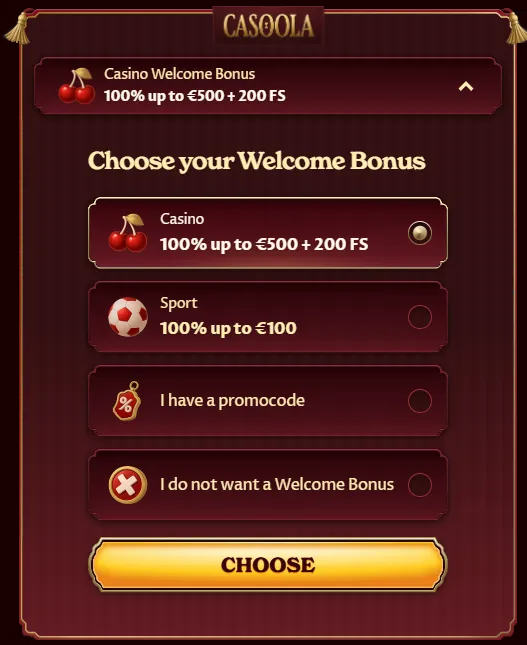
Step 0: Choose your Welcome Bonus
Before registration, you can pick a welcome offer (or skip it):
- Casino: 100% up to €500 + 200 Free Spins
- Sport: 100% up to €100
- I have a promocode (enter it during the flow)
- I do not want a Welcome Bonus
This helps tailor the onboarding to your playstyle—casino games, sports betting, or no promo at all.
Registration 1/2: Create your login details
On the first step, you’ll set the essentials:
- E-mail
- Password
- Mandatory tick-box confirming:
- You are 18+
- You accept Terms & Conditions and the Privacy Notice
- Optional tick-box to receive:
- bonuses, promotions, and news (marketing consent)
- Click NEXT STEP to continue.
Registration 2/2: Personal details & account setup
The second step collects your profile information for account security and payment readiness:
Personal info
- First name
- Last name
- Date of birth (dd/mm/yyyy)
- Sex: Male / Female
Location & currency
- Country (dropdown)
- Currency (dropdown)
Contact & address
- Phone
- City
- Address
- Postcode
Finish by clicking CREATE ACCOUNT.
Account safety and verification notes
To keep your account protected (and to prevent withdrawal delays later), make sure:
- Your name and date of birth match your real documents.
- Your address details are accurate and up to date.
- You only create one account per player (multi-accounting often leads to bonus removal and verification issues).
Language options on Casoola
Casoola includes a built-in language selector. You may see options such as:
- English, Deutsch, Español, Suomi, Français, Magyar, Norsk, Polski, Italiano, Čeština
- Plus additional options like العربية, Ελληνικά, Slovenčina, Slovenščina, Hrvatski, Nederlands, and more.
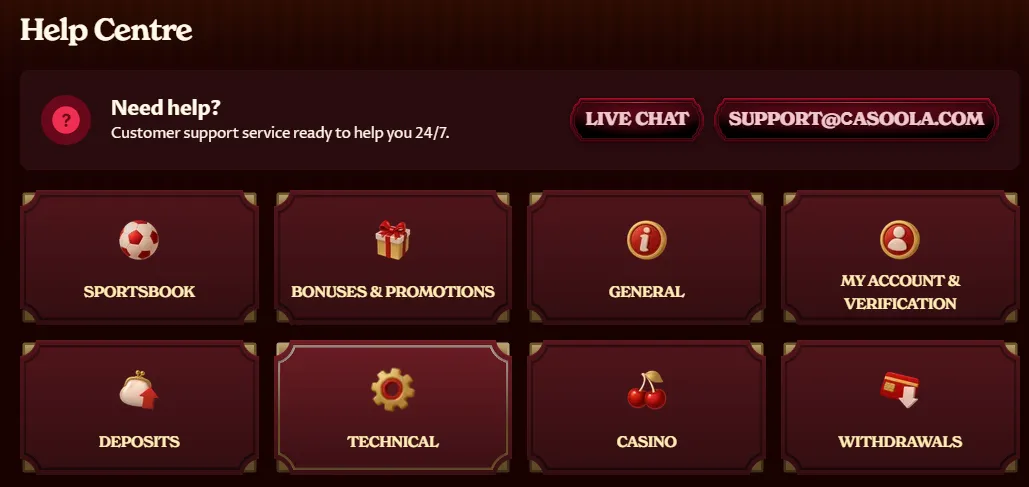
Need help logging in?
If anything looks off (missing email, bonus not appearing, login errors), use:
- Help Centre
- Live Chat (available from the interface)
Have these ready to speed things up:
- Your registered email/phone
- Approximate registration date
- Screenshot of any error message (if shown)
Login & Registration FAQ
Can I log in with email instead of username?
Yes—Casoola supports login via Username, Email, or Phone. Pick the right tab first.
Do I have to claim a welcome bonus when registering?
No. You can select “I do not want a Welcome Bonus” and continue without promotions.
Why does Casoola ask for address details during sign-up?
It helps with account security and makes verification smoother when you request withdrawals.
I selected a bonus—when will I see it?
Typically after registration and meeting the promo conditions (for deposit-based offers). If it doesn’t show, contact support via Live Chat.